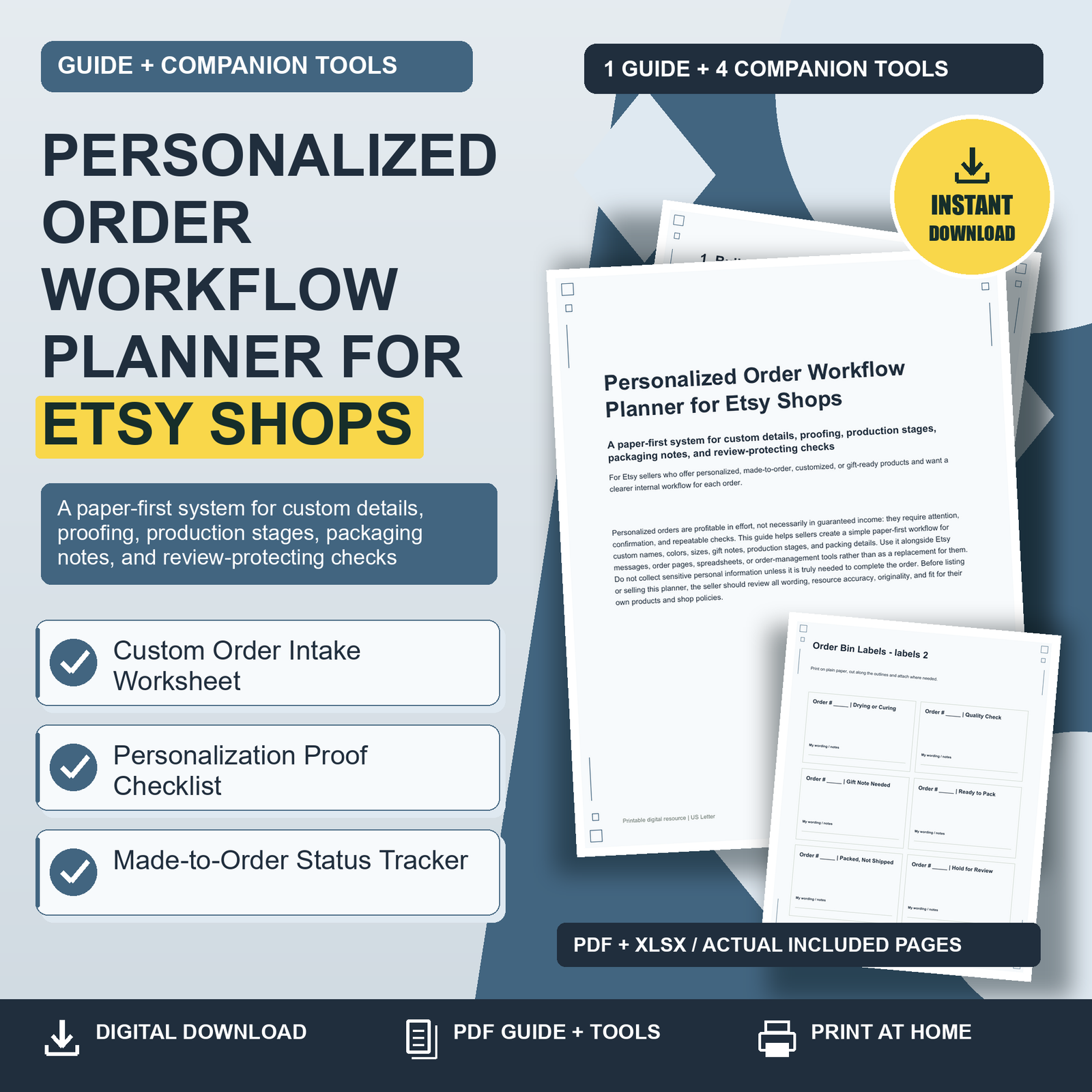
Personalized Order Workflow Planner for Etsy Shops: Personalized orders are profitable in effort, not necessarily in guaranteed income: they require attention, confirmation, and repeatable checks. This guide helps sellers create a simple paper-first workflow for custom names, colors, sizes, gift notes, production stages, and packing details. Use it alongside Etsy messages, order pages, spreadsheets, or order-management tools rather than as a replacement for them. Do not collect sensitive personal information unless it is truly needed to complete the order. Before listing or selling this planner, the seller should review all wording, resource accuracy, originality, and fit for their own products and shop policies.
Personalized Order Workflow Planner for Etsy Shops: 1. Build One Reliable Path for Every Custom Order
A personalized order becomes risky when the details live in five places: a buyer note, a message thread, a variation menu, a proof image, and a sticky note beside your supplies. The first improvement is not a complicated system; it is one reliable path. Decide where an order begins, how details are copied into your working notes, when the buyer receives a proof if needed, where the item waits during production, and how the final package is checked. For example, a seller making engraved ornaments might follow: order received, name spelling copied, design proof checked, material pulled, engraving completed, finish inspected, gift note added, package sealed, tracking posted. Write this path once and use it for every order, even when the order feels simple. The consistency is what protects you on busy days. Your path should also make clear what not to collect. If you only need a first name and color choice, do not ask for a birthday, full address beyond platform shipping, or unrelated personal details.
2. Capture Custom Details Before You Start Making
The best time to prevent a personalization mistake is before materials are cut, printed, engraved, sewn, or assembled. Start each order by transferring only the working details you need into the Custom Order Intake Worksheet. Include the order number, due or ship-by date, product, exact personalization text, variation choices, proof requirement, and special packaging notes. Then pause and compare the worksheet against the original order page or buyer message. This two-minute check is especially useful for names with unusual spelling, color combinations, plural quantities, initials, dates, and gift notes. A practical habit is to read the personalization out loud exactly as it will appear: “M-A-D-I-S-Y-N, blush ribbon, gold lettering.” If something is unclear, mark it as a question and message the buyer before production. Do not guess at spelling, sizing, monogram order, or whether an emoji or punctuation mark should be included. A short clarification message is far less costly than remaking an item.
3. Use Proofing as a Mistake-Prevention Step, Not Just a Design Step
Proofing is not only for complicated artwork. It is a structured chance to catch mismatch problems before they become finished products. Use the Personalization Proof Checklist whenever the buyer must approve a layout, when the item includes custom text, or when the order involves multiple personalized pieces. Check the spelling against the buyer’s original wording, confirm line breaks, verify font and color choices, and make sure the correct product size or orientation is shown. If you send a proof, keep your message clear: ask the buyer to review spelling, dates, names, colors, and placement. Avoid vague wording such as “Let me know if it looks good” because buyers may focus only on the overall style. Instead, say, “Please confirm the spelling of ‘Ariella,’ the sage color, and the July 12 date.” If your shop policy says production starts after proof approval, make sure that process is reflected in your listing and messages. This guide does not create policy language for you; adapt your workflow to match your actual shop terms.
4. Track Production Stages So Nothing Gets Lost Mid-Order
A made-to-order item often moves through several hands or stations, even in a one-person shop. It may start at your desk, move to a cutting table, wait for paint to dry, sit beside a heat press, and then land near packaging supplies. The Made-to-Order Status Tracker gives each order a visible place in your workflow. Use short stage labels that match your process, such as details checked, proof sent, proof approved, materials pulled, in production, quality checked, packed, and shipped. If you batch similar products, the tracker helps you avoid mixing orders with similar names or colors. For example, two orders for “Emma” in different sizes should never sit unlabeled in the same pile. When an order pauses because you need buyer clarification, mark it clearly rather than relying on memory. Review the tracker at the start and end of each work session. This keeps urgent ship-by dates visible and helps you restart smoothly after interruptions, weekends, or supply delays.
5. Pack With the Same Care You Used to Personalize
Packaging is the final moment to catch an error before the buyer receives it. Treat it as a separate quality-control stage, not a quick cleanup task. Place the finished item, the worksheet, and any packing materials together. Confirm that the item matches the order number, buyer name or identifier, personalization, quantity, color, size, and gift note. If you use bins, bags, or shelves, attach Order Bin Labels so the physical item stays linked to the correct order. This is especially helpful when items need drying time, curing time, gift wrap, or assembly after production. For a custom shirt order, the bin label might show “Order #1048, Jamie, youth medium, lavender, gift note.” Before sealing the package, check whether the buyer requested no invoice, a gift message, special wrapping, or multiple items in one parcel. Keep the label visible until the package is sealed. Once sealed, mark the tracker so you know the order is no longer waiting for an internal step.
Choose one useful next step. Review the related product details, included formats and license before choosing the tools for your needs.