
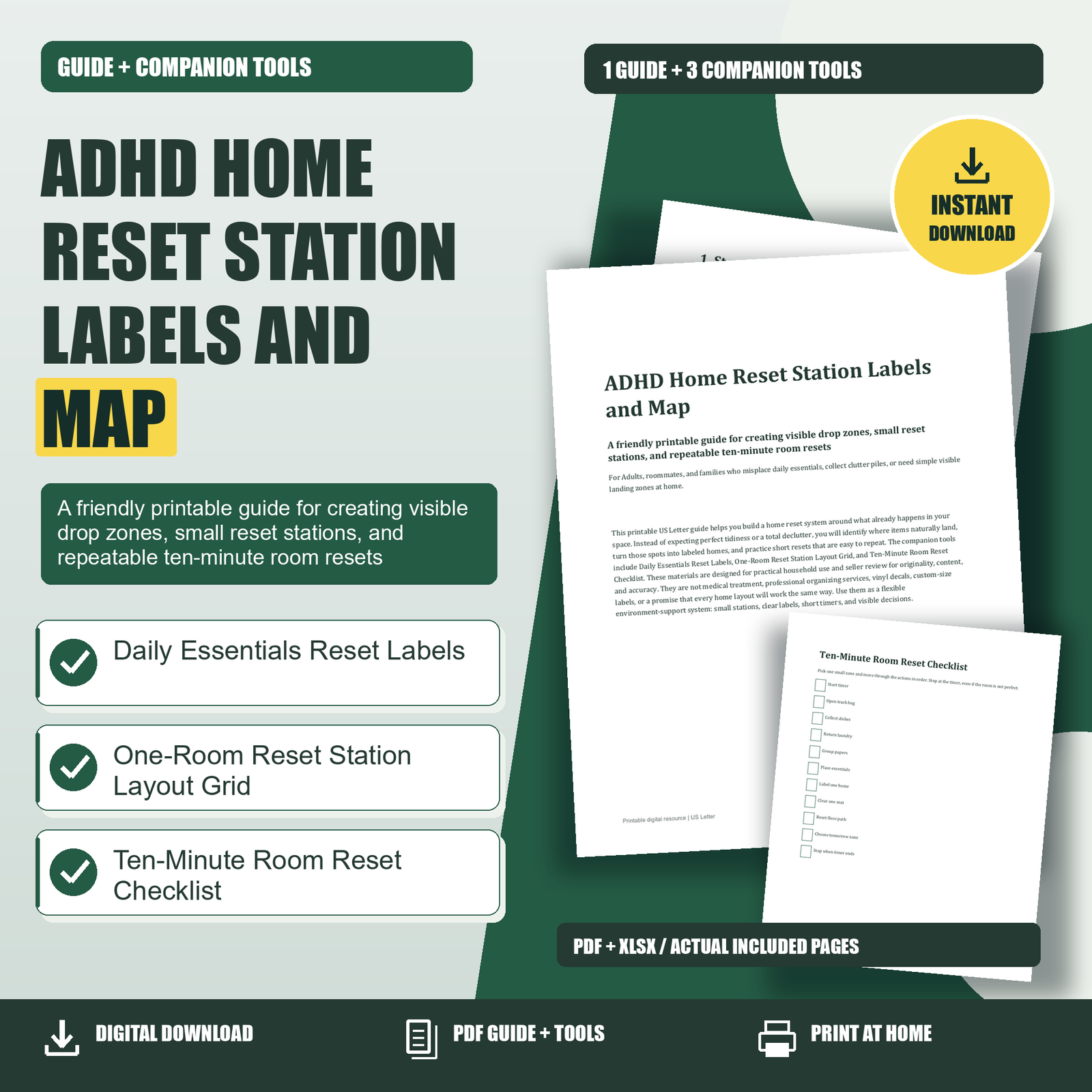
ADHD Home Reset Station Labels and Map: This printable US Letter guide helps you build a home reset system around what already happens in your space. Instead of expecting perfect tidiness or a total declutter, you will identify where items naturally land, turn those spots into labeled homes, and practice short resets that are easy to repeat. The companion tools include Daily Essentials Reset Labels, One-Room Reset Station Layout Grid, and Ten-Minute Room Reset Checklist. These materials are designed for practical household use and seller review for originality, content, and accuracy. They are not medical treatment, professional organizing services, vinyl decals, custom-size labels, or a promise that every home layout will work the same way. Use them as a flexible environment-support system: small stations, clear labels, short timers, and visible decisions.
ADHD Home Reset Station Labels and Map: 1. Start With Drop Zones, Not Perfection
A reset station is a small, visible place where a repeated category of items can land on purpose. It might be a tray by the door for keys and wallet, a basket near the stairs for returns, a dish bin near a desk, or a labeled shelf for chargers. The goal is not to make your home look staged. The goal is to reduce the number of tiny decisions required to get through the day. If essentials already land on a counter, table, chair, or floor, that is useful information. Your first step is to notice the pattern before trying to correct it.
Walk through one room and name the clutter piles without judging them. For example: “mail lands here,” “work bag drops here,” “laundry gets stuck here,” or “chargers migrate to this corner.” A drop zone becomes a reset station when it has a simple container, a clear label, and a realistic rule. Instead of saying, “No clutter on the table,” try, “Mail In goes in this tray, Mail Out goes in that folder, and everything else gets moved during the ten-minute reset.” This approach is especially helpful for busy adults, shared homes, and families because it makes the desired action visible to more than one person.
2. Map One Room Before Moving Anything
Before buying bins or rearranging furniture, use the One-Room Reset Station Layout Grid to sketch the room as it functions today. Draw the room shape, main furniture, doors, counters, tables, and the places where items tend to collect. Keep it simple: a rectangle for a table, a line for a sofa, a box for a shelf, and circles for clutter piles. Mark the places where keys, mail, bags, dishes, laundry, papers, and chargers actually land. This first grid is not a design plan. It is a reality map.
On the second grid, choose only a few reset stations. A good first room might include one “Daily Essentials” spot, one “Paper Flow” spot, and one “Return Bin.” Place stations where your household already pauses. If everyone enters through the side door, a beautiful hallway station by the front door may not help. If laundry stalls on a bedroom chair, a labeled “Laundry Finish” basket near that chair may work better than a hamper across the room. The best station is not the neatest idea; it is the easiest next action. After mapping, move only what is necessary: a tray, basket, hook, drawer, or shelf label.
3. Build a Daily Essentials Station
Daily essentials deserve the clearest home because losing them can derail the entire day. Choose one location for items like keys, wallet, work badge, glasses, medication cue, earbuds, chargers, or a work bag. A strong daily station has three qualities: it is near the point of use, it is easy to see, and it does not require several steps to access. A tray on an entry table may work better than a closed drawer. A hook beside the door may work better than a closet. A shallow basket may work better than a decorative box with a lid.
Use Daily Essentials Reset Labels to mark the container, shelf, tray, or drawer you want to use. If you share the home, agree on plain-language labels. “Keys” is clearer than “entry items.” “Work Bag” is clearer than “morning station.” For medication-related routines, the label “Medication Cue” should be treated as a reminder location, not as medical guidance. Place it where your existing routine or professional instructions already fit. If one station gets too crowded, split it into two: “Daily Carry” for keys and wallet, and “Chargers” for cords and devices. The aim is to make returning an item feel like the obvious move, not an extra chore.
4. Use Labels as Decision Shortcuts
Labels work best when they answer one question quickly: “Where does this go right now?” They are not decorations alone; they are decision shortcuts. When a surface has no assigned meaning, it becomes a temporary home for everything. When a basket says “Return Bin,” random objects have a holding place until they can be carried to another room. When a tray says “Mail In,” unopened mail does not need to spread across the table. When a container says “Donation Bag,” unwanted items can leave the decision loop instead of returning to a closet.
Place labels at eye level or directly on the container edge so they can be seen during a rushed moment. Avoid labeling too many categories at once. If every drawer, shelf, and basket gets a label on day one, the system may feel like another unfinished project. Start with three to five labels from Daily Essentials Reset Labels, then add more after a week. For roommates or family members, do a quick walk-through and explain each label in one sentence: “Mail In goes here until sorting,” “Mail Out goes here when it needs to leave the house,” and “Return Bin is for items that belong in another room.” Clear labels reduce repeated conversations and help everyone reset without asking where things belong.
5. Run a Ten-Minute Reset Without Turning It Into a Deep Clean
The Ten-Minute Room Reset Checklist is designed to stop the reset from becoming overwhelming. Pick one small zone, set a timer, and follow the actions in order. The order matters because it removes decisions: start the timer, open a trash bag, collect dishes, return laundry, group papers, place essentials, label one home, clear one seat, reset the floor path, choose tomorrow’s zone, and stop when the timer ends. You are not trying to finish the whole room. You are trying to create a little more function than you had ten minutes ago.
A good reset zone is specific. Instead of “clean the living room,” choose “coffee table and sofa corner.” Instead of “fix the bedroom,” choose “chair, nightstand, and floor path to the door.” If you get stuck, return to visible categories: trash, dishes, laundry, papers, essentials, and items that belong elsewhere. The checklist includes “Stop when timer ends” because stopping builds trust with the system. If every reset secretly becomes a two-hour cleaning session, you may avoid starting next time. Short resets are valuable because they are repeatable. A room that improves for ten minutes most days may become easier to live in than a room that waits for one perfect organizing weekend.
Choose one useful next step. Review the related product details, included formats and license before choosing the tools for your needs.